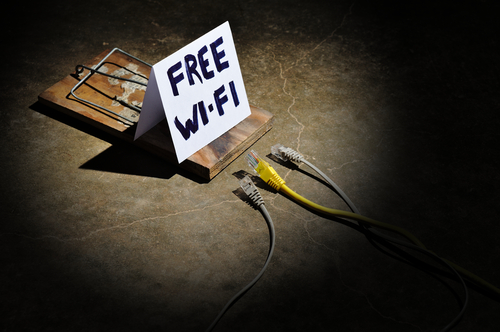

Free Wi‑Fi has become an everyday convenience. From coffee shops and airports to hotels, malls, and public transport, open wireless networks promise easy internet access without using mobile data. While convenient, free public Wi‑Fi often comes with significant security and privacy risks that many users underestimate.
This blog post explores how free Wi‑Fi works, why it is risky, the most common threats associated with it, and how individuals and organizations can protect themselves.
What Is Free Public Wi‑Fi?
Free Wi‑Fi refers to wireless internet access provided without cost, typically in public or semi‑public spaces. These networks are often:
- Open (no password required)
- Shared by many users simultaneously
- Poorly encrypted or misconfigured
- Managed with minimal security controls
Because of these characteristics, public Wi‑Fi networks are attractive targets for cybercriminals.
Why Free Wi‑Fi Is Inherently Risky
Unlike private home or corporate networks, public Wi‑Fi environments:
- Do not verify who connects to the network
- Allow attackers to be on the same network as victims
- Often lack strong encryption
- Provide little to no monitoring for malicious activity
This makes it easier for attackers to intercept data or manipulate connections.
Common Dangers of Free Wi‑Fi
1. Man‑in‑the‑Middle (MITM) Attacks
Attackers position themselves between the user and the internet, intercepting or altering communications without the victim’s knowledge.
2. Packet Sniffing and Data Interception
On unsecured networks, attackers can capture unencrypted traffic, potentially exposing:
- Login credentials
- Emails and messages
- Browsing activity
3. Rogue Hotspots (Evil Twin Attacks)
Cybercriminals set up fake Wi‑Fi networks with names similar to legitimate ones (e.g., “Cafe_Free_WiFi”) to trick users into connecting.
4. Malware Distribution
Public Wi‑Fi can be used to inject malware into devices or redirect users to malicious websites.
5. Session Hijacking
Attackers can steal session cookies, allowing them to impersonate users on websites without needing passwords.
6. Privacy Invasion and Tracking
Some Wi‑Fi providers log user activity, collect device information, or track location and browsing behavior for marketing or analytics purposes.
Also Check
Who Is Most at Risk?
While anyone can be targeted, higher‑risk groups include:
- Remote workers and freelancers
- Travelers and tourists
- Students using campus Wi‑Fi
- Journalists, activists, and researchers
- Users accessing banking or work systems on public networks
Real‑World Consequences
The risks of free Wi‑Fi can result in:
- Identity theft
- Financial fraud
- Corporate data breaches
- Account takeovers
- Loss of confidential or sensitive information
Even a few minutes on an unsecured network can be enough for an attack to succeed.
How to Use Free Wi‑Fi More Safely
While avoiding public Wi‑Fi entirely is ideal, safer practices include:
- Using a trusted Virtual Private Network (VPN)
- Avoiding sensitive transactions (banking, work logins)
- Ensuring websites use HTTPS encryption
- Disabling automatic Wi‑Fi connections
- Keeping devices and software updated
- Turning off file sharing and Bluetooth
Alternatives to Free Wi‑Fi
Safer options include:
- Personal mobile hotspots
- Encrypted home or office networks
- Secure corporate VPN connections
- Mobile data for sensitive activities
Though these options may cost more, they significantly reduce risk.
The Responsibility of Wi‑Fi Providers
Businesses and institutions offering free Wi‑Fi also share responsibility. Best practices include:
- Strong encryption (WPA3 or WPA2)
- Network segmentation
- Clear privacy policies
- Regular security audits
- User awareness messaging
Secure Wi-Fi benefits both providers and users.
Free Wi-Fi offers undeniable convenience, but it is not truly “free.” The hidden costs often include compromised security, lost privacy, and increased exposure to cyber threats. Understanding the dangers of free Wi‑Fi empowers users to make informed decisions and adopt safer habits. In a digital world where data is valuable, connectivity should never come at the expense of security.